Quick answer: Dental website booking can operate as a simple appointment-request form or as a connected scheduling flow. A reliable connected system checks the correct provider, service, location, and available time; records the result in the authorized practice-management system; and tells the patient whether the appointment is confirmed or still awaiting staff approval. Integration availability varies by software vendor and plan.
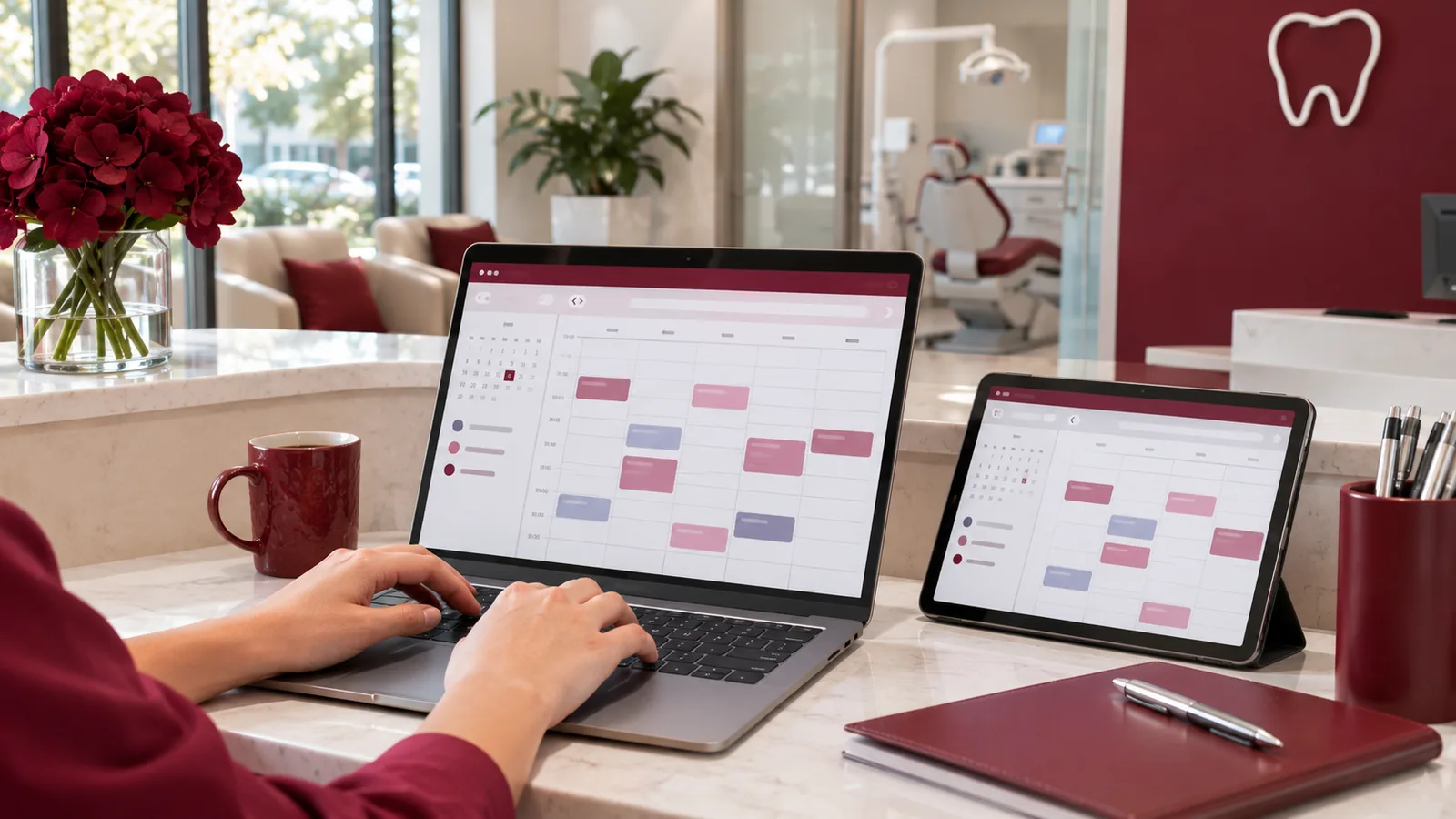
Booking interfaces can look similar while behaving very differently behind the scenes. Confirm what the system actually does.
A clinic website might show a calendar and still email every request to reception for manual entry. That can be a legitimate workflow—provided the patient knows it is a request. Problems arise when the website says “Booked!” without a real appointment in the schedule, or when two systems offer the same slot independently.
Three common dental website scheduling models
| Model | What the patient sees | What the clinic must do | Best fit |
|---|---|---|---|
| Appointment request | Select a preferred date/time or send a form | Staff reviews and confirms | Clinics without supported calendar access |
| Connected availability | Real slots displayed from an authorized scheduling source | Staff handles exceptions | Clinics with a compatible scheduling interface |
| Connected booking | Slot is checked, reserved or created, and confirmed through the authorized system | Staff manages exceptions and clinical suitability | Clinics whose PMS/EHR supports reliable booking operations |
The names of these models are descriptive, not vendor certification levels. A software demonstration should show which model is actually implemented for your specific office.
What does PMS, EHR, and EMR mean in a dental booking project?
PMS means practice-management system. It commonly supports scheduling, billing, and administrative workflows. EHR means electronic health record, and EMR means electronic medical record. A practice may use overlapping systems or one integrated platform. The critical question is not which acronym appears in a sales pitch; it is which authorized system is the source of truth for appointments.
Ask whether your exact vendor, product version, modules, and permissions support the proposed connection. “Can integrate with an EHR” is not the same as “the integration is enabled, tested, and approved for this clinic.”
What a safe dental booking journey looks like
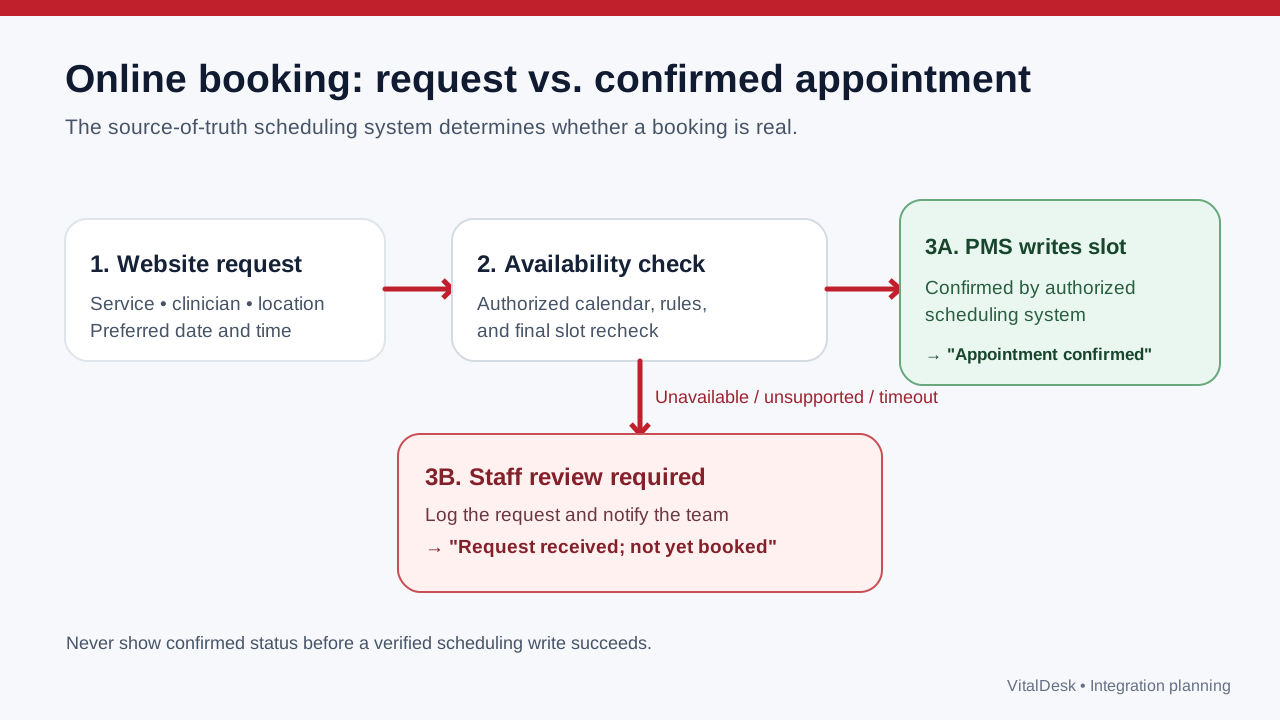
The diagram separates a verified booking from a request that needs follow-up. The two should never use the same confirmation wording.
- Collect the minimum details. Ask what is needed to route a visit: perhaps new/returning status, service category, preferred location, and a safe contact channel. Do not ask for detailed medical history on an ordinary marketing form unless the workflow requires it and protects it appropriately.
- Match the request to the correct appointment type. A routine cleaning, consultation, emergency evaluation, and procedure can require different providers, durations, and resources.
- Check the schedule at the right moment. Availability shown five minutes earlier may no longer be valid. A connected booking flow needs a final server-side check before committing.
- Record the appointment in the authorized source. The system should distinguish a successful write from a timeout, duplicate request, or partial failure.
- Send an accurate response. “Your appointment is confirmed for Tuesday at 2 p.m.” is appropriate only when that status is real. Otherwise say, “We received your request and the clinic will confirm it.”
- Provide a staff exception path. Staff need to see failed submissions, unsupported appointment types, unclear availability, or conflicting bookings without searching through unrelated inboxes.
Six questions to ask before buying a dental booking integration
1. Does it support our exact scheduling platform?
Get the supported product and module names in writing. Ask whether integration uses an official API, authorized embedded flow, or a custom connector. Request a demonstration in a staging environment, not a mocked calendar.
2. Is availability real-time, periodically synchronized, or manually configured?
These methods carry different risks. Periodic synchronization may be acceptable for appointment requests, but can create problems if presented as guaranteed real-time booking.
3. What happens when the integration is offline?
The website should not silently invent appointment confirmations. A safe fallback can accept a request, explain that staff will follow up, and log the event for staff review. Patients should not be asked to resubmit repeatedly without knowing whether their first attempt succeeded.
4. How are cancellations and rescheduling handled?
Check whether patients can request changes or actually change booked visits, and whether policies vary by appointment type. A change initiated on the website should not conflict with a staff action in the PMS.
5. Where does patient information go?
Map data moving among website forms, hosting providers, analytics, chat systems, email/SMS tools, and scheduling software. For HIPAA-covered entities, evaluate whether protected health information is involved and whether vendor agreements and safeguards are needed. Do not assume that an SSL certificate alone makes the workflow compliant.
6. What is the full operational cost?
Review implementation, vendor API access, monthly platform charges, support, change requests, and whether the practice retains access to its own booking data. A low website price and a high integration maintenance cost are both worth understanding.
Example: a patient requests a dental cleaning online
Imagine a new patient selects “Cleaning and exam,” chooses the downtown location, and requests Thursday afternoon. A well-designed system knows whether this appointment requires a new-patient exam slot rather than the shorter follow-up cleaning type.
If supported availability is returned, the website can show eligible times. On selection, the backend checks the chosen slot again before creating the appointment. If the write succeeds, the patient sees a confirmation and the staff can find it in the authorized scheduling record. If the PMS declines the appointment, the website should present an accurate request or retry route—not a fabricated booking ID.
For dental websites without a verified integration, the same front-end experience can collect preferences and route them to staff, clearly labeled as a request. This is often better than an unreliable “instant booking” claim.
Design the booking page for busy patients
A practical page shows the office and contact number, the appointment types it accepts, approximate process length, required fields, privacy information, confirmation expectations, and an alternative path for urgent concerns. It also works with keyboard navigation, mobile screens, and slow connections.
Avoid letting marketing pixels receive appointment reasons or patient identifiers without a proper assessment. HHS has specific guidance on online tracking technologies in healthcare contexts; clinic counsel and privacy teams should assess applicable obligations before rollout.
Frequently asked questions
Can my dental website integrate with any PMS or EHR?
No universal compatibility should be assumed. Availability depends on the vendor's supported interfaces, the practice's account permissions, security requirements, and the operations needed. Confirm each system rather than relying on broad integration language.
Does online appointment scheduling replace front-desk staff?
It can reduce routine back-and-forth, but a clinic still needs clear escalation for special appointment types, symptoms, emergencies, cancellations, and exceptions.
Is a booking form the same as instant booking?
No. A form records a request; instant booking requires a real appointment reservation or creation and an authoritative confirmation from the scheduling system.
What if our practice has several locations?
Each request should be tied to the correct location, clinician, appointment type, and local hours. Cross-location calendars and provider assignments require extra validation, especially before confirmation.
Make booking a reliable part of your customized website
VitalDesk's customized clinic website approach can be planned around appointment pathways, service pages, and existing office workflows. Integration with a particular EHR, EMR, or PMS should be scoped and verified before any availability or confirmation promise is made.
Next step: Discuss your dental website and booking workflow with VitalDesk. For the bigger design picture, see our 12-point dental website checklist.
Editorial references: HHS HIPAA online tracking guidance; HHS business associates guidance; Google Search Essentials.
Plan your custom dental website
Discuss the practice services, patient questions, booking workflow and location details that your website needs to communicate.
Explore custom websites